




Marketing for restoration companies: the full guide
What an owner should know before buying it or hiring someone to run it. Reviewed November 2026.
How people choose a restoration company in an emergency
Water and fire jobs start with a search made in a hurry. Someone standing in a wet basement types "water damage restoration near me" or "emergency water removal," looks at the map listings and the ads above them, and starts calling. They aren't comparing prices. They want a person who answers, understands what happened, and can say when a truck will be there. The first company that does all of that has the best shot at the job.
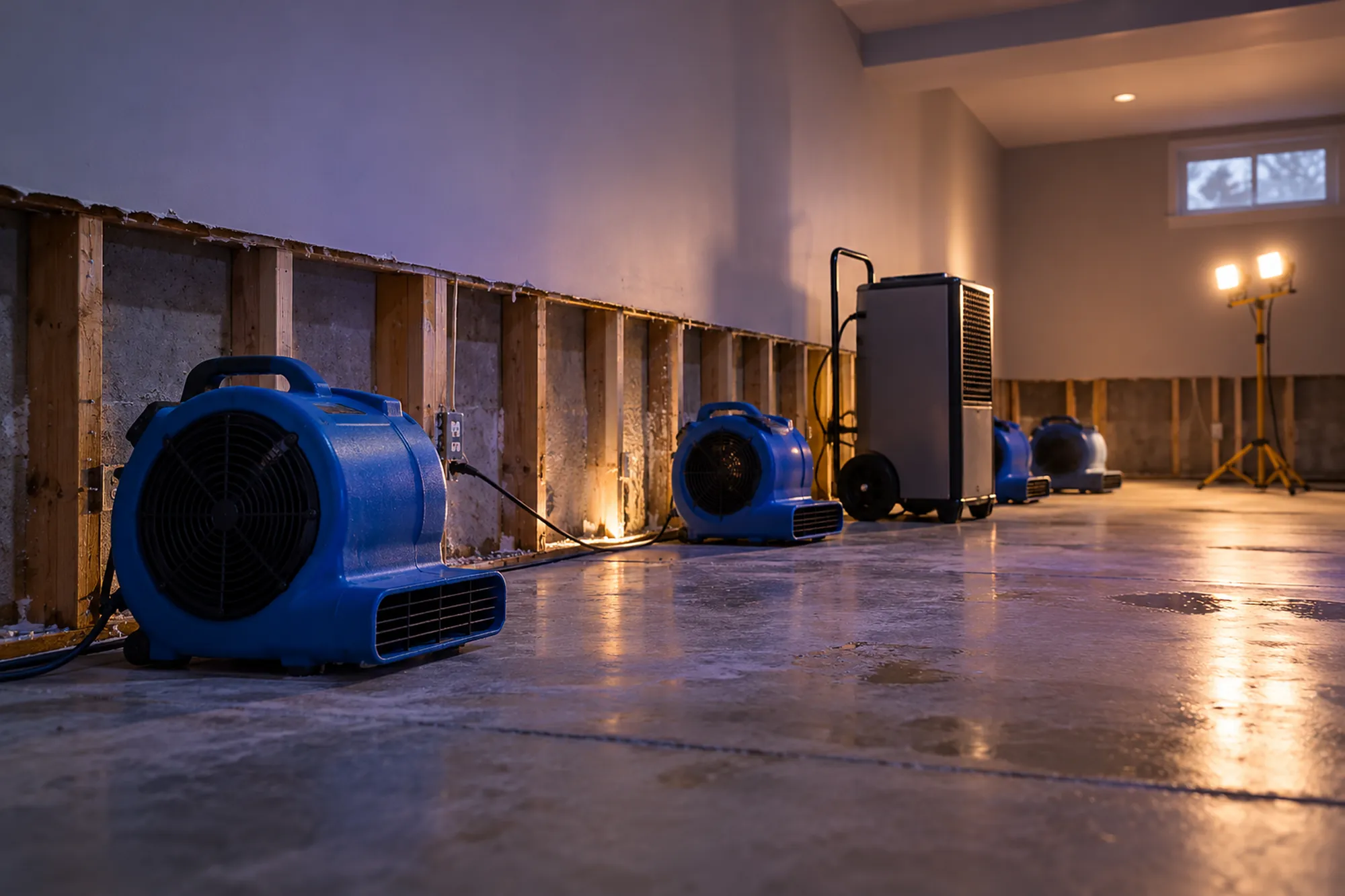
What they see in that moment matters: a listing with recent reviews, photos of your trucks and equipment at real jobs, hours that are true, and a page that names the damage they have. If your profile says you're open around the clock, something has to answer around the clock. A caller who reaches voicemail at a business marked open has no reason to try you twice.
Mold is a different buyer. It turns up in a home inspection before a sale or behind a wall during a remodel, and that person has days to decide, not minutes. They read reviews, ask about testing and containment, and compare companies. The page that explains your process wins that search.
Keep reading the guide4 more sections
Freezes, storms, and the restoration calendar
Restoration demand follows the weather and the age of the plumbing. Winter brings frozen pipes that split and ice dams that push water under shingles. The spring thaw and heavy rain bring sump pump failures and flooded basements. Summer and fall bring storms and, along the coast, a hurricane season that can fill a schedule for weeks. Heating season adds fire and smoke jobs of its own.
A storm doesn't spread calls evenly. It drops them on a handful of towns in the same afternoon, which is also when out-of-town crews show up with door hangers. Two things help: phones covered for the surge, and ads that can be aimed at the towns that got hit and turned down when the surge passes. Reviews and photos from jobs in those towns show homeowners you were there before the storm.
Between surges, the work is quieter and just as valuable: mold jobs, rebuild work after mitigation, and staying in touch with the plumbers, property managers, and HOA managers who send jobs to whoever they trust to show up.
What to fix first: the call nobody answers
Before spending more on ads, find out what happens when someone calls at night, on a Sunday, or while your on-call tech is already in a crawl space. If the answer is voicemail, that's the leak to fix first, because every other channel ends at that phone.
An answering service works if the people answering know your questions. An AI receptionist can be set to pick up only when nobody else does. It asks what happened, whether water is still coming in, whether it's clean water or a sewer backup, and the address, then transfers the caller to your on-call phone or texts the details over. It's billed by use or through an AI plan, with phone charges on top, so test it with real calls before you trust it. Missed-call text-back sits under all of it, so a caller who hangs up still gets a text.
Then fix the listing. Google's guidelines call for your real business name with no keywords added, a primary category that names your main work, your service areas, and a hidden address if customers don't come to you.
What to automate from the first call to the final invoice
A restoration job passes through a lot of hands, and every handoff is a place for it to stall. Build the pipeline around the stages your jobs really move through: new call, inspection, mitigation, waiting on approval, rebuild, final invoice, and paid. When a job enters a stage, the next step starts on its own, whether that's a task, a text, or a reminder.
Insurance work runs at the insurer's pace. The homeowner files a claim, an adjuster inspects, your estimate and photos get reviewed, and the rebuild waits on approval. We don't work with insurers or adjusters, and we don't give claims advice. The system keeps your side moving: a task for your office when a job has sat in approval too long, a check-in text to the homeowner, and notes on the contact showing who was called and when.
Paperwork goes on the phone. The homeowner signs the work authorization before the crew starts, with a record of who signed and when. The final invoice goes out by text or email and can be paid online by card or payment link. When the job closes, a review request goes out. If a partner sent the job, their thank-you goes out when it turns into a paid job.
What to measure in a restoration business
Start with the phone. Look at calls answered and missed by hour and by day of the week, because nights and weekends are where restoration jobs disappear. Then look at where paid jobs came from: Local Services Ads, Google Ads, your profile, your website, or a partner.
Each source needs its own setup. Google Ads calls are counted by campaign with tracking numbers, which are billed by use. Local Services Ads leads don't flow into LeadLite. The lead details stay in your Local Services account, so we give those calls a tracking number of their own to count them. Google doesn't charge for leads it judges invalid, but it no longer credits leads for job types or areas you don't serve, so set those carefully. Partner referrals are counted through personal referral links or a referred-by field.
Last, watch time in stage. A pipeline that shows how long each job has waited on approval tells you where cash is stuck. Revenue by source only works if each job's value is kept current, so update it when the estimate changes.
What a good setup for restoration companies includes
- Every call answered or texted back, day and night
- Separate pages for water, fire, mold, and sewage damage
- Google profile hours that match who actually answers
- Intake questions your on-call tech needs before rolling
- Work authorization signed on a phone before work starts
- Pipeline stages for inspection, mitigation, approval, and rebuild
- Review request sent when each job closes
- Partner referrals tracked by link or referred-by field