 Tina's Clean TeamNovember 9 ·
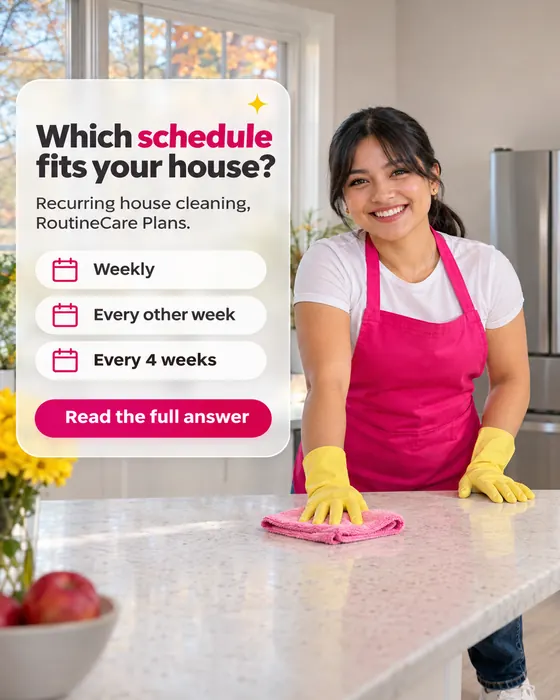
Weekly, every other week or every 4 weeks? Start with who lives in the house.
1. Kids, pets and a lot of traffic: weekly.
2. A home you keep tidy day to day: every other week. See more
243 comments
Some customers would rather message your Facebook page or Instagram account than call.
Built forTina's Clean TeamCleaning RevolutionPhilly's Clean TeamPro DJ ProductionsAmbitious CleaningDSC Accountingand more
Do you do holiday parties?7 to 11pm. My cell is (917)...
2That Vegas set was unreal
Sent you a mashup idea
Is the hot sauce back in stock?
Can you do a wedding in Austin?
Where's the next show?
Obsessed with this one
Love your mashups 😂 Do you do holiday parties? Ours is Fri Dec 18 in Manhattan, 200 peopleInstagram · 2:14 PM

Love that! Yes, we do corporate events. What time does it run, and what's a good number to text?DJ Cummerbund · 2:14 PM
7 to 11pm. My cell is (917) 555-0148Instagram · 2:15 PM
Perfect, Dec 18 is noted. Our booking team will text you options today 🪩DJ Cummerbund · 2:15 PM
DJ CummerbunddjcummerbundDJ Cummerbunddjcummerbund · InstagramView profileToday 2:14 PM
Love your mashups 😂 Do you do holiday parties? Ours is Fri Dec 18 in Manhattan, 200 people
Love that! Yes, we do corporate events. What time does it run, and what's a good number to text?
7 to 11pm. My cell is (917) 555-0148
Perfect, Dec 18 is noted. Our booking team will text you options today 🪩
Social messaging is the setup that brings Facebook and Instagram direct messages into one business inbox, alongside texts and website chat, with automatic replies and a contact record for each person. It's for service businesses that get questions through social media and want to answer, qualify, and book those people from the same place as their calls.
Social messaging pulls those DMs into the same inbox as your calls, texts, and website chat, answers them by AI or your team, and saves each person as a contact so you can follow up from one place.

Messages land in an app you only open at night, and the person asking may have already booked someone else.
Someone comments on a post asking what you charge, and the question scrolls away before anyone sees it.
Two people answer the same DM, or neither does, because social messages live outside the system your team works from.
Social messaging moves those conversations into the inbox your team already works from, with an owner for each one.
Facebook Messenger and Instagram DMs land next to your calls, texts, and website chats.
Tina's Clean TeamBook now
House cleaning service · South Jersey and Central Jersey
House cleaning in South Jersey and Central Jersey. Call or text (609) 831-4455.
Tina's Clean TeamNovember 9 · Weekly, every other week or every 4 weeks? Start with who lives in the house.
1. Kids, pets and a lot of traffic: weekly.
2. A home you keep tidy day to day: every other week. See more
467posts
Home cleaning in South Jersey + Central Jersey
One-time + recurring cleaning
Call or text (609) 831-4455
Book or request a quote below
Moorestown, New Jersey
www.tinascleanteam.com/bo... and 1 more



Comments on posts you publish through LeadLite's social planner show up in the inbox, ready to answer or move to a DM.
Workflows reply to comments by post or phrase, and can follow up with a private message.
AI can answer everyday questions and offer a booking link, or hand the thread to your team.
Each person who messages or comments becomes a contact, so you can follow up by text or email once they share a number.
Conversations get assigned to a team member, so every message has an owner and an alert.
Facebook Messenger and Instagram DMs come into LeadLite's inbox at no extra platform fee. Comments sync only for posts published through LeadLite's social planner, and AI replies are billed by use or through an AI plan.
Messenger and Instagram DMs in the same inbox as your texts, chats, and calls.
Comments on planner posts, with a public reply or a DM from the same screen.
Where you schedule the posts, so their comments come back to the inbox.
Reply to comments by post or phrase, like the comment, and send a private message with buttons.
Answers DMs from your knowledge base and can switch to text if the person goes quiet and shared a number.
Each conversation goes to a named person, who gets an alert when it arrives.
Answer DMs and comments from your phone between jobs.
Screens and cards are illustrations with demo data.
| Three ways to get it | Do it yourselfLeadLiteFrom $97 / month | Built for youWizardQuoted with your plan | Run for youManagedCustom, priced to the work |
|---|---|---|---|
| What it means | Connect your Facebook and Instagram accounts to LeadLite and answer DMs and planner-post comments from one inbox or the mobile app. AI replies are billed by use or through an AI plan. | We connect your accounts, write the automatic and comment replies, set up assignments and alerts, and test every path. | We write comment automations for new posts, keep replies and AI answers current, and adjust routing as your team changes. |
| Facebook and Instagram DMs in the inbox | Connected for you | Kept connected | |
| Comment syncing for planner posts | Set up for you | Kept current | |
| Comment automations | You build them | Written and built | Added per campaign |
| AI replies (billed by use) | You set it up | Set up for you | Tuned over time |
| Assignment and alerts | You set it up | Set up for you | Adjusted as needed |
| See LeadLite plans | Book a strategy session | How managed works |
Calling, texting, email, AI and payment processing are billed by use where they apply.
We connect your Facebook page and Instagram account and turn on comment syncing for planner posts.
We write the first replies, comment replies, and private messages in your voice.
We decide with you which conversations AI handles, which go to your team, and who gets alerted.
We send test DMs and comments through every path and check who gets each alert.
What an owner should know before buying it or hiring someone to run it. Reviewed November 2026.
DMs are the straightforward part. Once your Facebook page and Instagram account are connected, Messenger and Instagram DMs arrive in the LeadLite inbox next to texts, chats, and calls. Each conversation sits on a contact record, so the history follows the person whether they message you, text you, or call.
Comments are narrower. They come into the inbox only for posts published through LeadLite's social planner. Comments on posts made directly in the Facebook or Instagram apps don't sync, and we don't count on ad comments syncing either. If you want comments answered from one place, publish your posts through the planner.
One channel is gone entirely: Google Business Profile chat. Google shut down chat on Business Profiles in July 2024, so there are no Google messages left to connect. Calls to your profile's number can still ring through LeadLite, and your Google reviews come in through review management.
As soon as you reasonably can. Messaging a business page is as easy as messaging a friend, which means messaging the next three businesses is just as easy. A reply that answers the actual question gives the person a reason to stop looking.
An automatic first reply covers the gap while you're on a job. It tells them they've reached you and asks what they need, which also gets you the details before a person picks the thread up. Keep it short and specific to your business. A long menu of options reads like a phone tree.
Meta also sets timing windows on business replies. A reply to a DM has to go within 24 hours of the person's last message, and a private reply to a comment within 7 days. Past those windows the workflow can't send the reply, so a DM that sat over a long weekend may need a different route, like a text if they've shared a number and agreed to texts.
A comment like 'How much for a driveway?' is a lead asking in public. A workflow can answer it two ways at once: a short public reply ('Just sent you a message') and a private message with the details or a booking link. The public reply shows everyone else reading that you answer. The DM is where the conversation happens.
Comment automations are workflows. They trigger on comments on your Facebook or Instagram posts, can filter by page, post, or phrase, and reply with one of several wordings you write, so the replies don't all read the same. The private message can carry buttons, like 'Get a quote' or 'See open times'.
Filter by phrase so 'Love this' doesn't get a price list, and set the automation so the same person isn't messaged every time they comment. A post that asks people to comment a word for details is where this does its best work.
AI can answer Facebook and Instagram DMs from the same knowledge base as your website chat: services, service area, hours, and booking. It can offer a booking link and ask for a phone number. When the question is price on a big job, a complaint, or anything outside its instructions, it should hand the thread to a person.
AI replies are billed by use or covered by an AI plan. When a plan's allowance runs out, the AI pauses until extra usage is turned on, so we set that up. If the person goes quiet and has shared a phone number, the AI's follow-up can switch the conversation to text once Meta's window closes. That needs a texting number registered for A2P 10DLC.
If you'd rather keep a person on every reply, use an automatic first reply plus assignment and alerts, and skip the AI. That's a fair choice when your DMs are about custom work that needs a person's judgment from the first message.
Connect the Facebook page and the Instagram account to LeadLite, then turn on comment syncing in the social planner settings and choose which platforms sync. Comment syncing also has to be switched on from our side of the account, which we do during setup, so you won't find it missing later.
Instagram has a catch. DM automations don't run on an Instagram account that's connected to the planner only through your Facebook page, so we connect Instagram directly. It's an easy thing to miss, and it's why a setup can look connected while the automations quietly do nothing.
Then test every path with an account that isn't yours: a DM to the page, a DM on Instagram, a comment on a planner post, a comment with your trigger phrase, and a thread the AI hands to a person. Check who gets the alert each time, and what the customer sees.
Social media management is the posting side: planning, writing, and publishing content on your pages. Social messaging is what happens after someone responds, the DMs and comments that need an answer. You can buy either one on its own, and each works without the other.
They do work better together, for a practical reason. Comments sync to the inbox only for posts published through LeadLite's planner, so if your posts go out through the planner, the comments they draw land where your team already works. Posts made in the apps keep their comments in the apps.
If you run Facebook or Instagram ads, the same thinking applies to the messages they start. Decide who answers before the ad goes live, write the first reply, and make sure the lead gets assigned, because an ad that fills a DM inbox nobody watches is money spent on unanswered questions.
Questions
Still deciding? A strategy session walks through your calls, leads and booking, and what we would build first.
Book a strategy sessionYes. Once your Facebook page and Instagram account are connected, DMs from both land in the LeadLite inbox alongside your texts and website chats. Your team can reply from a desktop or the mobile app, and each conversation stays on the person's contact record. Comments join the inbox for posts published through LeadLite's social planner.
Yes, through workflows. When someone comments on your post, a workflow can reply publicly, like the comment, and send the person a private message with details or a booking link. It can filter by post or phrase, so only the comments you mean get a reply. Meta allows the private reply within 7 days of the comment.
No. Comments sync to the inbox only for posts published through LeadLite's social planner. Comments on posts made directly in the Facebook or Instagram apps stay in those apps. If you want every comment answered from one place, schedule your posts through the planner.
As soon as you reasonably can, since messaging the next business is just as easy for them. An automatic first reply says they reached you and asks what they need, so the conversation starts while your team is on a job. Meta also limits business replies to DMs to within 24 hours of the person's last message.
Meta sets timing windows on business replies. A reply to a DM has to go within 24 hours of the person's last message, and a private reply to a comment within 7 days. We build automations to run inside those windows and route anything later to a person, or to text if they've shared a number and agreed to texts.
Yes. A comment on a planner post can trigger a public reply and a private message that asks what they need or offers a booking link. Each new commenter becomes a contact, and once they share a phone number you can follow up by text. We connect Instagram directly, because DM automations don't run on an account linked only through Facebook.
Google shut it down. As of July 31, 2024, chat and call history are no longer available in Business Profiles, so there are no Google messages to bring into an inbox. Calls to the number on your profile and your Google reviews can still connect to LeadLite.
Social media management is the posting side: planning, writing, and publishing content on your pages. Social messaging is what happens after someone responds, the DMs and comments that need an answer. They work well together, since planner posts send their comments to the inbox, and you can buy either one on its own.
It depends on scope, like how many pages and accounts you connect and how many comment automations you need. LeadLite starts at $97 a month if you run it yourself; built-for-you and run-for-you plans are quoted to the work. AI replies are billed by use or through an AI plan.
Book a strategy session. We'll look at how leads find you, reach you and book with you, and show you what we'd build first.
Related
Website chatSome people won't call and won't fill out a form, but they'll type a quick question.Social media managementCustomers check your Facebook, Instagram and Google profile before they call, and a page that went quiet months ago makes them wonder if you're still open.Meta adsFacebook and Instagram reach people in your area before they ever search for a service like yours.