








1. Home
  2. Services
  3. Reach
  4. Directory listings
01Reach: get found

Directory listings: Your details, right everywhere customers look

Your business is listed on directories, map apps and review sites you've never visited, sometimes with details you never entered.

Built forTina's Clean TeamCleaning RevolutionPhilly's Clean TeamPro DJ ProductionsAmbitious CleaningDSC Accountingand more

google.com/maps/place/Tina's+Clean+Team
See photos

Tina's Clean Team

4.8 (102)

House cleaning service

Directions Save Nearby Send to phone Share
Updates from the owner

Fixed-hour Specials in Voorhees, Haddonfield and across South Jersey

2 days ago

Refer a friend to Tina's Clean Team in Cherry Hill or Marlton

4 days ago

Stainless fridge in Hamilton or Moorestown

5 days ago
RestaurantsHotels
Sign in
Tina's Clean Team
Layers
9:41
tinas clean team

Tina's Clean Team

4.8 (102)

House cleaning service · Open

44+
Latest Updates

Fixed-hour Specials in Voorhees, Haddonfield and across South Jersey: two cleaning professionals for 2 hours, $198. 3 hours, $298. 4 hours, $398. Book online.

Book
Tina's Clean Team2 days ago

Refer a friend to Tina's Clean Team in Cherry Hill or Marlton. When your friend's first cleaning is done, and you've had one too, you each get $50 credit toward your next cleaning.

Learn more
Tina's Clean Team4 days ago

Stainless fridge in Hamilton or Moorestown full of fingerprints before guests? Wipe and buff with the grain.

Book
Tina's Clean Team5 days ago

Recurring house cleaning, RoutineCare Plans, in Cherry Hill, Moorestown or Princeton: weekly, every other week or every 4 weeks.

Learn more
Tina's Clean Team1 week ago
Tina's Clean Team · Google profile, real owner posts, recreated

Directory listings, in plain words

Directory listings management is keeping a business's name, address, phone number, hours and details accurate and identical across Google, Apple Maps, Bing, Facebook, Yelp and trade directories, and cleaning up duplicates. It's for local service businesses that have moved, changed numbers or rebranded, or that have never checked what those sites say about them.

We find those listings, fix what's wrong at the source, and keep your name, address, phone and hours matching on the sites that matter.

Sound familiar?

  1. Your old number is still out there

    You moved or changed phones years ago, and customers still find the old details on sites you forgot existed.

  2. Duplicate listings split your reviews

    The same business shows up more than once on a site, with reviews spread across the copies and different details on each.

  3. Nobody has time to log in everywhere

    Every directory has its own login and its own process, and keeping them all current ends up being nobody's job.

Listings work starts with one agreed version of your details and a record of every place they live.

What's included, done properly.

One true version, everywhere

We agree the exact name, address, phone, website and hours with you once, then make every listing match it.

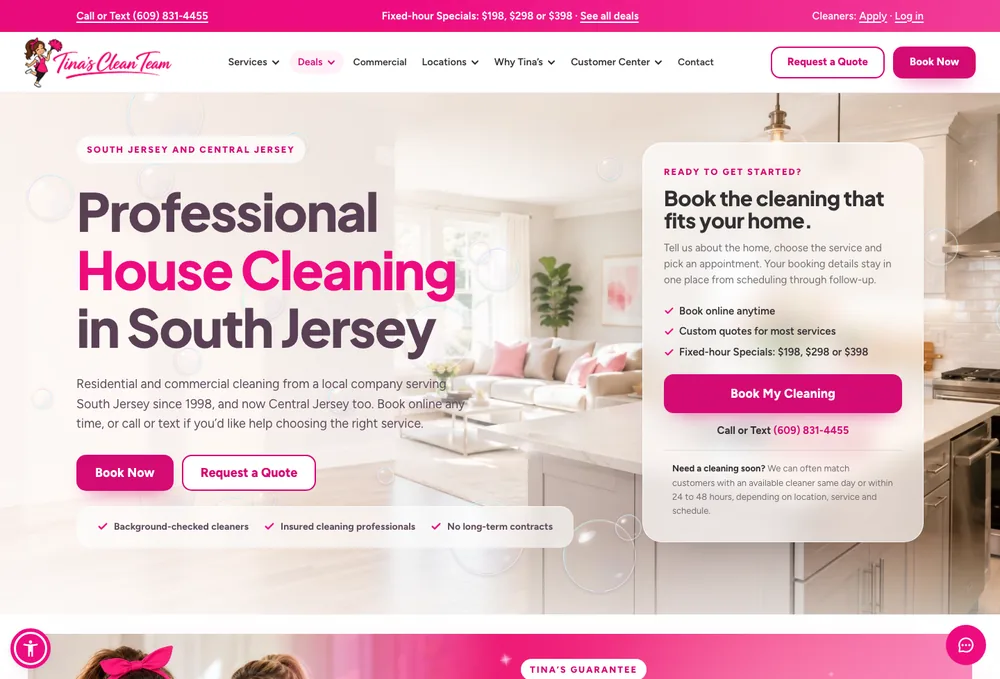
tinascleanteam.com
Tina's Clean Team home page on desktop
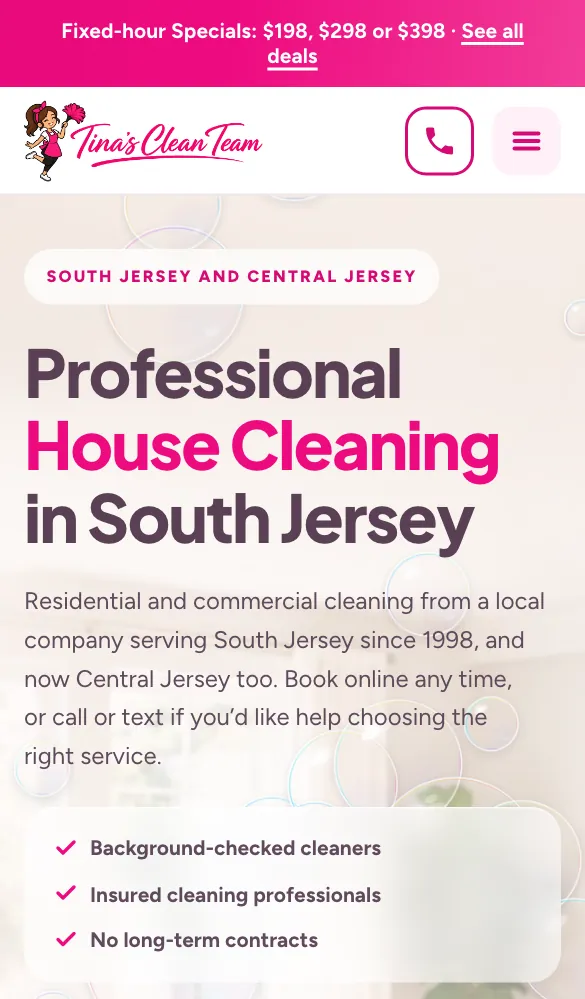
9:41
9:41
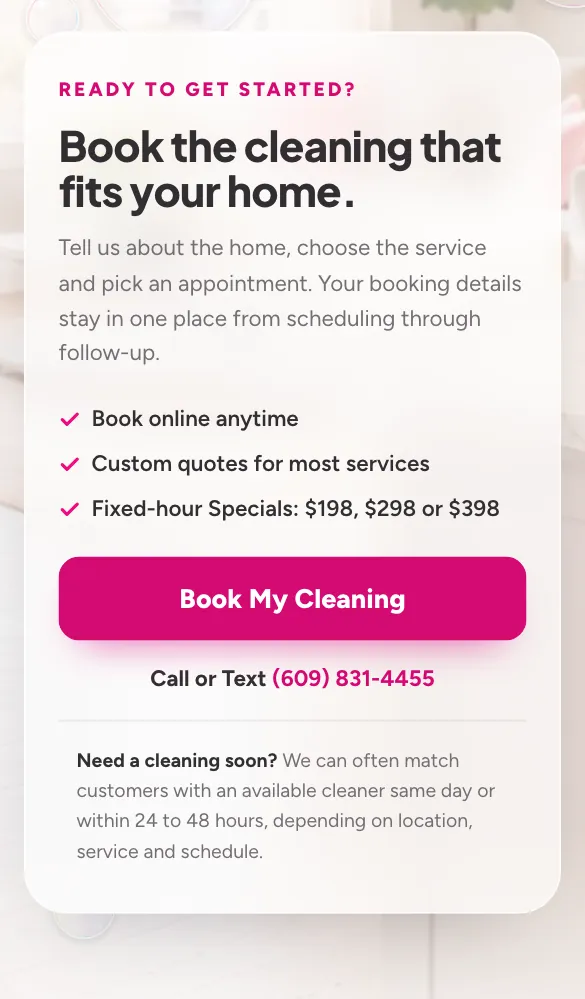
Tina's Clean Team home page on a phone
tinascleanteam.com
Tina's Clean Team · live site, real desktop and iPhone captures

Listings audit

We find where you're listed, old names and old numbers included, and record what each site says.

Corrections at the source

Wrong details fixed on each directory itself, not only on Google.

Duplicate cleanup

Duplicate and outdated listings merged or removed where each site allows it.

The places customers look

Google, Apple Business Connect, Bing Places, Facebook and Yelp, plus the directories specific to your trade and town.

Kept matching when things change

When your hours, number or address change, we update your listings and check that each change went through.

How it runs in LeadLite.

Listings sync is a paid add-on to LeadLite, not part of the base plan. It covers the major directories in its network; trade directories, duplicates and some corrections are still done by hand, and we tell you which is which before you sign.

google.com/search?q=tinas+clean+team
tinas clean team
Sign in
AI Overview

Tina's Clean Team is a residential and commercial cleaning service based in Moorestown, New Jersey, serving South and Central Jersey. tinascleanteam.com +2

  • Services: standard, deep and move-out cleaning, plus commercial cleaning.
  • Booking: online any time, or call or text.
Show more
Tina's Clean Teamhttps://tinascleanteam.com

House Cleaning in South Jersey | Tina's Clean Team

House cleaning across South and Central Jersey since 1998. Standard, deep and move-out cleaning. Book online any time, or call or text (609) 831-4455.

Book House Cleaning

Book house cleaning online in South and Central Jersey. See your price before you ...

Commercial Cleaning

Commercial cleaning for offices, retail, medical and dental offices and common ...

9:41
Sign in
tinas clean team
AI Overview

Tina's Clean Team

4.8 (102) · House cleaning service · Open

44+
OverviewServicesReviewsAboutBy owner
CallShareWebsiteSave

Tina's Clean Team is a residential and commercial cleaning service based in Moorestown, New Jersey, serving South and Central Jersey. tinascleanteam.com

Show more
Open · Closes 5 PM
Tina's Clean Teamhttps://tinascleanteam.com

House Cleaning in South Jersey | Tina's Clean Team

House cleaning across South and Central Jersey since 1998. Standard, deep and move-out cleaning. Book online any time, or call or text (609) 831-4455.

Tina's Clean Team · Google search, recreated in code
What's built in and what costs extra5 pieces
  • Listings syncAdd-on

    Pushes your business details to the directories in its network, including Google, Bing, Facebook and Apple Maps, and keeps them matching.

  • Google Business Profile connectionBuilt in

    New Google reviews land in your inbox, so you can reply without logging in to Google.

  • Review requests by text and emailBuilt in

    Ask every customer for a review after the job, with a direct link to your Google review page.

  • Review widgetBuilt in

    Shows your Google and Facebook reviews on your own website.

  • Website and local business schemaBuilt in

    Your own site carries the same details, with schema added in code so search engines can read them directly.

Screens and cards are illustrations with demo data.

Do it yourself, have it built, or have it run.

Three ways to get itDo it yourselfLeadLiteFrom $97 / monthBuilt for youWizardQuoted with your planRun for youManagedCustom, priced to the work
What it meansClaim and fix the big listings yourself, and add LeadLite's listings sync (a paid add-on) to push your details out and keep them matching. Duplicates and trade directories stay hand work.We audit and correct your listings, clean up duplicates, and hand you a record of where you're listed.We keep your listings current, update them when details change, clean up new duplicates and recheck the slow ones.
Listings auditYou do it
Major directories syncedAdd-onSet up (add-on)Kept current (add-on)
Duplicate cleanupYou do itWatched for new ones
Trade and local directoriesYou do itClaimed and fixedKept current
Record of every listing and loginYou keep itHanded to youKept up to date
Updates when details changeYou do it-
See LeadLite plansBook a strategy sessionHow managed works

Calling, texting, email, AI and payment processing are billed by use where they apply.

How we deliver it

  1. Find your listings

    We search the major directories, map apps and review sites for your business, old names and old numbers included.

  2. Set one true version

    We agree with you on the exact name, address, phone, hours and description to use everywhere.

  3. Correct and clean up

    We fix wrong details and deal with duplicates, directory by directory.

  4. Keep it consistent

    We update your listings when something changes and recheck the slow ones until they match.

After launch, with Run for you

  • Listings updated whenever hours, numbers or addresses change
  • Slow directories rechecked until each change actually shows
  • New duplicate listings found and cleaned up
  • Trade and local directories added as you grow
  • The listings record kept current, in your business's name

Directory listings: the full guide

What an owner should know before buying it or hiring someone to run it. Reviewed November 2026.

What business citations are, and do they still matter?

A citation is any place online that lists your business name, address and phone number: a directory, a map app, a review site, your local chamber's member page. Search engines compare those copies. When they match, it's easier to trust that they describe one real business. When one says Suite 4 and another lists your old address across town, that trust weakens.

Citations matter less than your Google Business Profile, your reviews and your website. That's worth knowing, because it means a long list of listings won't rescue a thin profile. But wrong details still cost jobs in a plainer way: a customer finds your old number on a directory, calls it, gets nothing, and hires the next company on the list.

They also feed AI answers. Google's AI answers can draw on reviews and listings from other sites, so a stale directory page is one more place for your hours or phone number to be wrong.

Keep reading the guide5 more sections

Which directories does a service business need to be on?

Start with the places customers look up a local business: Google Business Profile, Apple Business Connect (which manages your Apple Maps listing), Bing Places, Facebook and Yelp. Get those exactly right before anything else. Then add the directories specific to your trade and area, such as home service sites, the local chamber of commerce and your town's business association.

More isn't better. A short list of accurate listings you can keep current does more than hundreds you'll never check again. Skip directories that exist mainly to sell you an upgrade, and be wary of any site that wants payment before it will correct a wrong phone number.

Keep the review profiles on those sites alive too. A Yelp or Facebook page with recent reviews and an owner's replies tells customers, and the AI answers that read those pages, more than an empty one does. If you've never claimed your Yelp or Facebook page, someone else's version of your details may be the one people see.

How to fix a wrong address or phone number on your listings

Decide the one true version first and write it down: the exact business name, the address in one format (Suite or Ste, not both), the main phone number, the website address and your hours. Every correction then copies from that record, so you don't create new mismatches while fixing old ones.

Fix the source, starting with Google, then Apple, Bing, Facebook and Yelp, then the trade directories. Each site has its own process and its own pace. Some accept a change from the owner right away, some ask you to verify again first, and some are slow to show it. Keep a log of what you changed, where and when, and recheck the slow ones. If you've moved or changed numbers, keep the old number forwarding until the listings catch up, so nobody who calls it hits a dead line.

How to find and remove duplicate listings

Duplicates happen when a listing gets created twice: by a former owner, a past marketing company, a data provider, or a customer adding you to a map. Each copy collects its own reviews and its own version of your details, so customers see a split picture and you control only part of it.

Search each site for your current name, old names, old addresses and every phone number you've used. On Google, keep one profile for the business and get the extra one removed through Google's own support process, instead of leaving two running. Elsewhere, each directory decides for itself whether to merge, remove or hide a duplicate, and each has its own rules for proving you own the listing. We track every duplicate until it's resolved and tell you which ones are still pending, so you always know what's left and nobody files the same request twice. Start with Google, because that's the listing customers see in the map pack.

Is a listings sync service worth paying for?

A listings sync service pushes your details out to a network of directories from one place and keeps them matching. LeadLite offers one as a paid add-on. It covers the major directories in its network, including Google, Bing, Facebook and Apple Maps, and saves logging in to each one when something changes.

It isn't the whole job. Check which sites a service covers before you pay, because no network reaches every trade directory or local site you care about. Duplicates still need cleaning up by hand. And ask what happens to your listings if you cancel, because the answer differs from one service to the next. We'd recommend the add-on for a business with more than one location, or one whose hours, numbers or addresses change, and hand work for a single location whose details rarely move.

Either way, keep a record of every listing and login in the business's name, so the work stays yours.

Keeping listings right after a move, a new number or a rebrand

The riskiest moments for listings are changes: a new office, a new phone system, a new business name. Update Google first, then your website, then the sync and the remaining directories, working from the same written record. Keep the old phone number forwarding to the new one for as long as old listings and past customers might still use it.

Then recheck the sites that were slow to update, and search for the old number and the old address to catch any listing you missed. For a rebrand, read Google's guidelines first: the name on your profile has to match the name customers see on your signs, van and paperwork, so change those in step instead of renaming the listing ahead of the trucks. A rebrand also means new photos, a new logo and updated descriptions on each listing, not only a new name in one field.

What a good directory listings setup includes

  • One written record of your exact name, address and phone
  • Google, Apple, Bing, Facebook and Yelp listings claimed and matching
  • Trade and local directories checked against the same record
  • No duplicate listings on Google or the major directories
  • Old phone numbers and addresses searched for and corrected
  • Every listing and login kept in the business's name
  • Listings rechecked after any move, number change or rebrand

Questions

Directory listings questions

Still deciding? A strategy session walks through your calls, leads and booking, and what we would build first.

Book a strategy session
What are citations in local SEO?

A citation is any place online that lists your business name, address and phone number, like a directory, map app or review site. When those details match everywhere, search engines and AI tools can be more confident they're looking at one real business. When they don't, it adds doubt, and customers can end up calling a number you no longer answer.

Do directory listings still matter for SEO?

They matter less than your Google Business Profile, reviews and website, but wrong details still cost you. A customer who calls an old number from a directory is a job you never hear about, and mismatched details make it harder for search tools to trust your information. The aim is accurate listings on the sites that count, not the longest list.

How do I fix the wrong address or phone number on my business listings?

Write down one exact version of your name, address, phone and hours, then correct each listing at the source, starting with Google, Apple, Bing, Facebook and Yelp. Each site has its own process, and some ask you to verify again before a change shows. Keep the old number forwarding until the listings catch up, and recheck the slow ones.

How do I get my business on Apple Maps?

Claim or create your listing in Apple Business Connect, Apple's tool for managing how a business appears in Apple Maps. Use the same name, address, phone, hours and categories you use on Google. LeadLite's listings sync add-on also covers Apple Maps, so if you use it, your Apple listing stays matched with the rest.

How do I remove duplicate business listings?

Search each site for your current and old names, addresses and phone numbers. On Google, keep one profile and get the extra removed through Google's support process. Other directories each have their own rules for merging or removing duplicates. Duplicates split your reviews and details, so we clean them up first and track each one until it's resolved.

Is a listings sync service worth paying for?

It can be, if your details change, you have more than one location, or you don't want to log in to every directory. It's a paid add-on in LeadLite that covers the major directories in its network. It doesn't reach every trade or local site, and duplicates still need hand work, so check the coverage before you pay.

What happens to my listings if I cancel a listings service?

It depends on the service, so ask before you sign. We check how LeadLite's add-on handles a cancellation for your account before you commit. Corrections we make by hand, under logins in your business's name, stay yours, and we keep a record of every listing so nothing is lost if you change course.

Can I fix my listings myself?

Yes, if you have the time. You'd claim each listing, verify it, correct the details, and repeat whenever something changes. It's easy to start strong and stall after the first few. Keep a spreadsheet of every listing, login and the email it's tied to, so you never have to hunt for access twice.

How much does listings management cost?

It depends on how many locations you have and how messy your current listings are. LeadLite starts at $97 a month if you run it yourself, and listings sync is a priced add-on on top of that. Built-for-you and run-for-you plans are quoted to the work after a strategy session.